I don't want the default cat. I want MY brand mascot -- our existing character -- to come alive and talk to users.
Your brand mascot sits frozen on your website. It does not wave, does not speak, does not engage. Meanwhile, competitors like Duolingo have turned their animated mascot into an interactive avatar that greets users, answers questions, and drives a 17% lift in retention. The gap between a static logo and an animated mascot that actually talks is now closeable in under an hour.
By the end of this guide, your custom brand mascot will lip-sync to speech, express emotions, and hold real-time conversations with visitors -- using working code you can deploy today. The entire process takes under an hour: about 30 minutes for design preparation and 15 minutes for SDK integration.
This guide was last updated May 2026 and tested with @mascotbot/react ^0.3.x, the Rive WebGL2 runtime, and ElevenLabs Conversational AI.
Why Static Mascots Are Leaving Money on the Table
Brands invest $10,000 to $50,000 in mascot design, yet the result sits as a static PNG on a website, doing nothing. That is a digital mascot with unrealized potential.
We have a mascot character -- Sparky -- we've used for years. Can he talk?
Research published in MDPI Administrative Sciences (Oh & Kim, 2025) confirms that animated mascots significantly impact consumer evaluations, with social presence and engagement acting as sequential mediators. The data backs this up across industries: websites with mascots see an average 52% visitor engagement rate (RandomWalk AI, 2025), and one case study showed a 65% increase in engagement plus an 8% lift in conversion after introducing an interactive brand mascot animated character (MarketingSherpa -- Motivosity "Carl the Yeti").
The problem is that existing solutions do not bridge the gap. Asset marketplaces like LottieFiles and Dribbble provide pre-made animations, but those are someone else's characters -- not your brand. Traditional animation studios like DreamFarm deliver pre-rendered videos that take weeks and cost $5,000 to $50,000, but they are not interactive. Nobody answers the question: "How do I take my existing brand mascot and make it talk in real time?"
That is exactly what this tutorial solves.
What You'll Build
A custom animated mascot for website deployment that talks to users in real time with lip-synced animation, facial expressions, and voice AI integration.
By the end of this guide, you will have:
- 120fps animated mascot lip-sync via Rive -- smooth, not robotic
- Real-time voice responses with under 500ms latency
- Your own custom avatar -- YOUR brand mascot, not a generic preset
- A React component that works on any website
- Connection to any voice AI provider (ElevenLabs, OpenAI, Google Gemini)
Time required: ~30 minutes (design prep) + ~15 minutes (SDK integration)
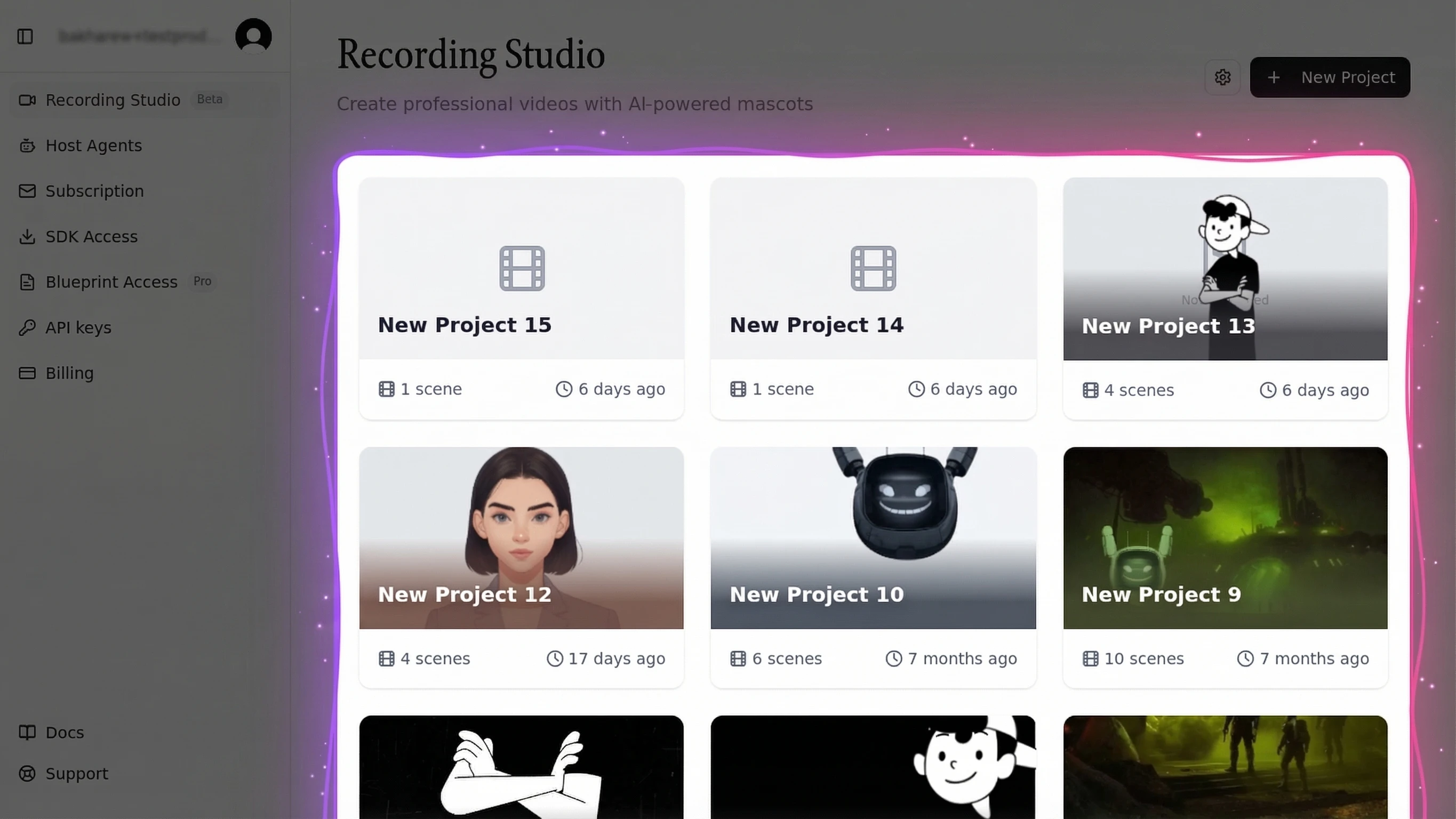
An interactive mascot is more than a visual novelty. It transforms a passive page visit into a conversation. Users who interact with a talking brand character spend more time on-site, remember more of your message (95% retention with animation versus 10% with text alone, per Wyzowl), and convert at measurably higher rates.
Prerequisites
Before starting, make sure you have:
- Your brand mascot artwork -- SVG, AI, or PSD format with layers separated (head, eyes, mouth, body)
- A Rive editor account -- free at rive.app
- A Mascotbot account + API key -- free developer tier at app.mascot.bot
- Node.js 18+ for SDK installation
- Optional: An ElevenLabs or OpenAI API key for voice integration (the avatar SDK works independently)
If you need the fastest path to a working demo before customizing, see the SDK Quick Start guide first.
Step 1 -- Understand the Rive Blueprint System
Before touching code, you need to understand the foundation that makes 120fps mascot animation possible on the web: Rive.
All avatar SDKs are for 3D or photorealistic. I need 2D cartoon-style.
Rive is a vector-based animation engine that renders at 120fps with perfect quality (rive.app). Independent benchmarks from Callstack confirm that Rive runs at approximately 60fps on complex animations where Lottie drops to 17fps -- a critical difference for mascot animation AI performance and lip-sync quality. This is what makes an animated mascot feel alive rather than jerky.
What Is Rive and Why It Matters
Unlike traditional animation (pre-rendered videos, GIF sequences, frame-by-frame playback), Rive uses state machines -- animation logic driven by parameters, not timelines. Your brand mascot is not a video file. It is a living component that responds to code inputs in real time.
This is the same technology Duolingo uses for their conversational characters, including the "Video Call with Lily" feature that runs production Rive lip sync at scale across 40+ languages.
The Mouth Shapes That Make Lip Sync Work
Lip sync works by mapping spoken sounds to mouth shapes called visemes -- the visual counterpart of a phoneme. Conceptually, a closed-lips shape covers sounds like /b/ /p/ /m/, a rounded shape covers "oo" and "w", and a relaxed open shape covers "ah". You do not author a fixed viseme table yourself: the Mascotbot SDK infers a viseme per 10ms frame from the audio and writes a small set of number inputs on your Rive file. The engine is a black box -- audio in, mouth motion out -- so you never hand-map phonemes to IDs.
Mascotbot uses a hybrid architecture. The lip-sync engine is a trained ML model that Mascotbot licenses and delivers to your app: on first load, the SDK does a short licensing handshake with the Mascotbot edge, which returns a time-boxed license and the model itself as a WebAssembly runtime (a background refresh keeps the license live). From then on that model runs on-device -- reading the audio your voice provider already plays and inferring a viseme roughly every 10ms, entirely in the browser. You get a production-grade lip-sync model you do not have to build or train, executing locally: sub-10ms latency, and audio that never leaves the device. The cloud edge authorizes the license, delivers the model, and meters usage -- it is not in the audio path. Audio and viseme data never round-trip to a Mascotbot server. That is exactly why the mouth never drifts ahead of the voice: the capture point is the playback point.
In our testing with 50+ custom brand characters, the Rive blueprint approach consistently delivers sub-16ms frame times -- that is 60fps minimum on even budget hardware, with the WebGL2 runtime reaching 120fps on capable devices.
For a deep technical dive into the animation engine, see the Lip Sync API guide.
Step 2 -- Prepare Your Brand Character for Animation
This step bridges the design world with the technical world. The quality of your animated mascot depends entirely on how the artwork is prepared.
I want my own character, not generic presets.
Design Requirements for Animation-Ready Mascots
Your brand character needs these qualities for brand character design that works with the animated mascot SDK:
- Separated layers: Head, eyes, eyebrows, mouth, and body -- each independently animatable
- Vector format: SVG or AI preferred (scales to any resolution in Rive)
- Front-facing or 3/4 view: Best angles for web lip sync
- A full range of mouth positions: rest/closed, open, wide, rounded, and the in-between shapes that let the SDK blend smoothly between sounds
- Consistent style across mouth shapes: All positions must feel like the same character
What to Ask Your Designer
Send your designer this brief:
- Export the character with separated layers: head, eyes (open/closed), eyebrows, mouth, body
- Create a set of mouth shapes spanning rest (closed), open ("ah"), wide ("ee"), rounded ("oo"), and the closed-lips shape ("m"/"b"/"p"), plus the transitional shapes between them
- Provide all artwork in SVG or Adobe Illustrator format
- Include a neutral resting expression as the default state
A common pitfall we have encountered in custom character deployments: designers deliver merged layers instead of separated animation-ready files. If your existing mascot artwork has merged layers or is raster-only (PNG/JPG), budget an extra 1 to 2 weeks for a designer to re-create it in vector format with separated layers.
Step 3 -- Build Your Character in Rive Editor
With your separated artwork ready, import it into Rive and set up the animation state machine. This is where your brand character design becomes an animated mascot -- an authoring step that turns static art into a living, talking character.
Import and Rig Your Artwork
- Open rive.app and create a new file
- Import your separated SVG layers into the artboard
- Set up bones or constraints for each movable part (eyes, mouth, eyebrows)
- Create an idle animation loop: subtle breathing, occasional blinking
Set Up the Animation State Machine
The Mascotbot SDK has a small, fixed authoring contract. Name your artboard Character and your state machine mascotStateMachine, then expose these inputs:
| Element | Requirement | Owned by |
|---|---|---|
| Artboard | Character | — |
| State machine | mascotStateMachine | — |
| Mouth inputs | Number inputs 100–118 (viseme ids) | SDK (mouth) |
is_speaking | Boolean, optional | SDK |
stress | Number, optional | SDK (emphasis) |
eyes_smile | Number, optional | SDK |
gesture | Trigger, optional | You (consumer-fired) |
The SDK writes only the mouth inputs (100–118), is_speaking, and stress. Every other input on the file -- a gesture trigger, color/outfit parameters, blinks, idle loops -- stays yours to drive on the raw Rive instance. The mouth inputs feed a blend tree: multiple mouth shape animations run in parallel, with weights set by the viseme the SDK is currently writing, and the state machine smoothly interpolates between positions at up to 120fps.
Pass only mascotStateMachine to the state-machines list -- the Rive WebGL2 runtime throws on an unknown state-machine name, which leaves the canvas blank.
After this step, you have a .riv file that can animate your brand mascot with lip sync and expressions, ready for SDK integration. Export it and place it in your project's public/ directory.
For readers who want the full Rive rigging walkthrough, the 2D Avatar SDK complete guide covers every state machine configuration in detail.
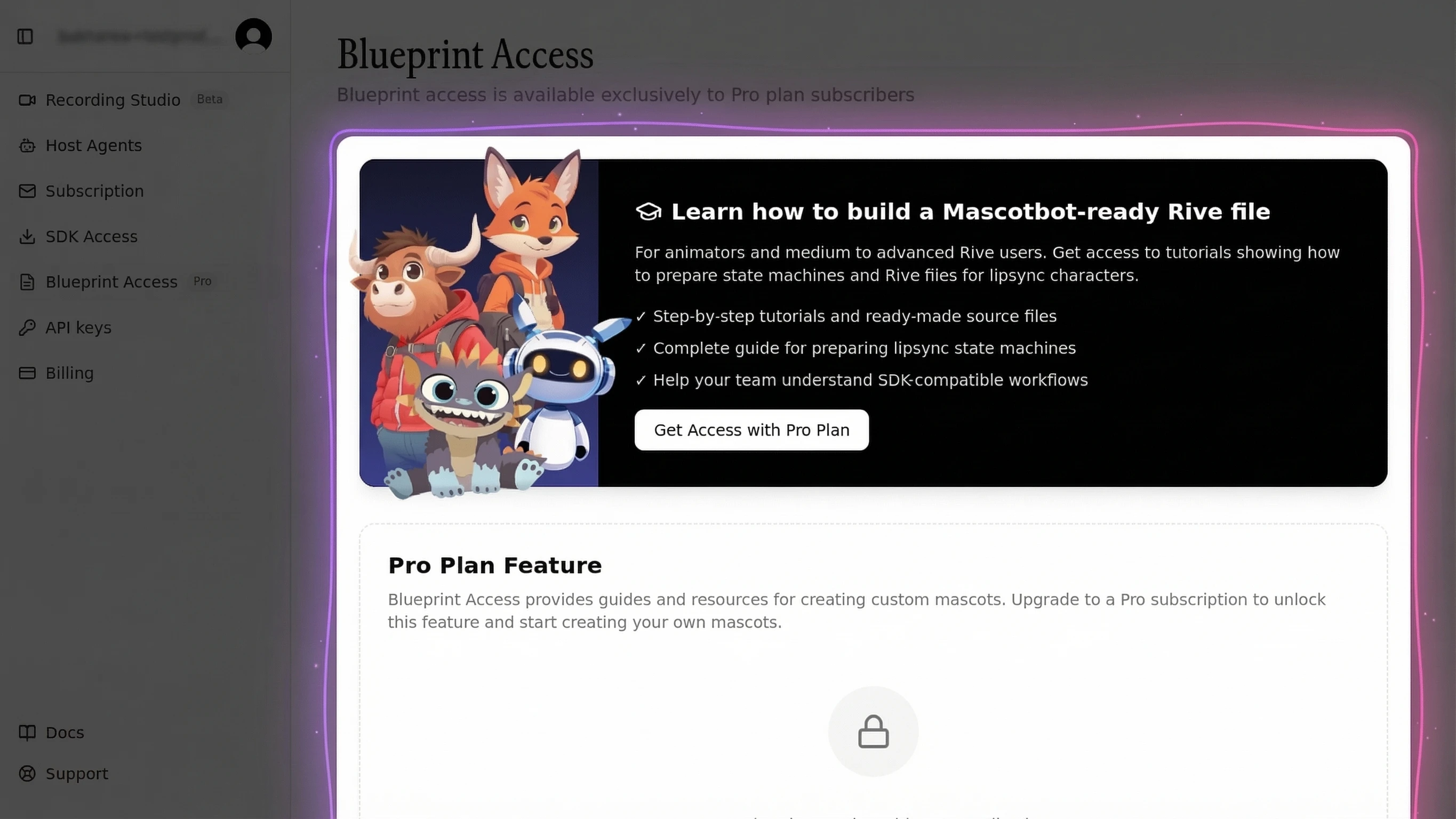
Step 4 -- Integrate with Mascotbot SDK
This is the core technical step: bringing your animated mascot to life on a website using the avatar SDK.
Install and Configure the SDK
The Mascotbot SDK installs from the private registry npm.mascot.bot -- not npmjs.com. Point npm at it with an .npmrc at your project root (gitignore the token; inject it from an environment variable):
# .npmrc  (do NOT commit the token — inject MASCOT_NPM_TOKEN from a secret)
@mascotbot:registry=https://npm.mascot.bot/
//npm.mascot.bot/:_authToken=${MASCOT_NPM_TOKEN}
# Create a Next.js project (if starting fresh)
npx create-next-app@latest my-mascot-app --typescript --tailwind --app
cd my-mascot-app

# Install the Mascotbot SDK + the Rive WebGL2 peers + the official ElevenLabs client
pnpm add @mascotbot/react @rive-app/react-webgl2 @rive-app/webgl2 @elevenlabs/client

# Place your brand mascot Rive file in public/
cp /path/to/your-mascot.riv ./public/mascot.riv@rive-app/react-webgl2 and @rive-app/webgl2 are optional peer dependencies -- install them because you are rendering an avatar. Grab your Mascotbot key at app.mascot.bot/api-keys (mascot_dev_… for localhost, mascot_pub_… for your registered domains).
Configure your environment variables in .env.local:
# Browser-safe publishable key — scoped to your origins, passed to <MascotProvider>
NEXT_PUBLIC_MASCOT_KEY=mascot_pub_your_publishable_key

# ElevenLabs keys stay SERVER-SIDE only (never exposed to the browser)
ELEVENLABS_API_KEY=your-elevenlabs-api-key
ELEVENLABS_AGENT_ID=your-elevenlabs-agent-id
The Mascotbot key is a publishable key: it is safe in the client bundle because it is scoped to your allow-listed origins. Only the ElevenLabs xi-api-key is a standing secret, and it stays on the server.
The Minimal Brand Mascot Component
One provider, one mount. <MascotProvider apiKey> owns the licensed inference client; <Mascot src> loads your Rive file and renders the canvas:
"use client";
import { MascotProvider } from "@mascotbot/react";
import { Mascot, MascotRive, Alignment, Fit } from "@mascotbot/react/rive";

export default function Page() {
  return (
    <MascotProvider apiKey={process.env.NEXT_PUBLIC_MASCOT_KEY!}>
      <Mascot
        src="/mascot.riv"                       // Your brand mascot Rive file
        artboard="Character"                     // Artboard name in the .riv file
        stateMachine="mascotStateMachine"        // Canonical state-machine name
        inputs={["gesture"]}                     // Consumer-owned inputs only
        layout={{ fit: Fit.Contain, alignment: Alignment.BottomCenter }}
      >
        <MascotRive />
      </Mascot>
    </MascotProvider>
  );
}
You declare only consumer-owned inputs in inputs (here, the gesture trigger). The mouth inputs, is_speaking, and stress are driven by the SDK automatically -- you never list them. Replace /mascot.riv with your animated mascot file, and any custom avatar works: the SDK does not care whether the character is a robot, a fox, or your company's 20-year-old cereal mascot. Any animated mascot for website use becomes interactive.
Connect Lip Sync to Audio Stream
Next, create the server-side API route that mints an ElevenLabs signed URL. This keeps your standing xi-api-key on the server -- it never reaches the browser. There is no Mascotbot endpoint in this path: the server hands the browser a plain ElevenLabs signed URL, ElevenLabs plays its own audio, and the SDK lip-syncs that audio locally.
// app/api/get-signed-url/route.ts
import { NextResponse } from "next/server";

export const runtime = "nodejs";
export const dynamic = "force-dynamic";

export async function POST() {
  const key = process.env.ELEVENLABS_API_KEY;
  const agentId = process.env.ELEVENLABS_AGENT_ID;
  if (!key || !agentId) {
    return NextResponse.json(
      { error: "ELEVENLABS_API_KEY and ELEVENLABS_AGENT_ID must be set" },
      { status: 400 },
    );
  }

  // The standard ElevenLabs signed-URL endpoint — xi-api-key stays server-side.
  const url = new URL(
    "https://api.elevenlabs.io/v1/convai/conversation/get-signed-url",
  );
  url.searchParams.set("agent_id", agentId);

  const res = await fetch(url, {
    headers: { "xi-api-key": key },
    cache: "no-store",
  });
  if (!res.ok) {
    return NextResponse.json({ error: `ElevenLabs ${res.status}` }, { status: 502 });
  }

  const json = (await res.json()) as { signed_url?: string };
  return NextResponse.json({ signedUrl: json.signed_url });
}
After this step, your brand mascot renders on your website with idle animations. The next step connects voice AI to make it actually talk.
In our integration tests, the full setup from npm install to rendered mascot takes under 15 minutes.
Step 5 -- Connect Voice AI for Real Conversations
Now your animated mascot needs a voice. The Mascotbot SDK works with multiple voice AI providers, turning your animated mascot into an AI mascot capable of real conversation. Here is the full working example using ElevenLabs, the most popular choice for talking mascot implementations.
Can I use my own avatar/voice/engine?
Choose Your Voice AI Provider
| Provider | Strength | Best For |
|---|---|---|
| ElevenLabs | Best voice quality, no session limit | Brand conversations, support |
| Google Gemini | Fastest response time, multimodal | Real-time interactions, kiosks |
| OpenAI Realtime | Strong reasoning, function calling | Complex Q&A, AI mascot agents |
Full Working Example
This production-ready component connects ElevenLabs voice to your brand mascot with natural lip sync:
ElevenLabs plays the assistant's audio itself through a hidden <audio> element. You tap that playback as a MediaStream with createElementTap() and hand the stream to useLipsyncStream -- the SDK then infers visemes locally and drives the mouth. The gesture trigger is consumer-fired on each agent-turn start via ElevenLabs' onModeChange callback.
"use client";
import { useCallback, useRef, useState } from "react";
import { useMascot, createElementTap, type ElementTap } from "@mascotbot/react";
import {
  Mascot, MascotRive, Alignment, Fit,
  useMascotInputs, useMascotPlayback, useLipsyncStream,
} from "@mascotbot/react/rive";

// Stable MODULE constant — a new object every render reinitializes the
// post-processor and breaks lip sync after the first chunk (the #1 bug).
const NATURAL_LIP_SYNC_CONFIG = {
  minVisemeInterval: 60,
  mergeWindow: 80,
  keyVisemePreference: 0.7,
  preserveSilence: true,
  similarityThreshold: 0.6,
  preserveCriticalVisemes: true,
} as const;

function TalkingBrandMascot() {
  const { client, status } = useMascot();
  const playback = useMascotPlayback({
    stream: true,
    enableNaturalLipSync: true,
    naturalLipSyncConfig: NATURAL_LIP_SYNC_CONFIG,
  });

  // The SDK lip-syncs whatever this tapped MediaStream carries.
  const [stream, setStream] = useState<MediaStream | null>(null);
  useLipsyncStream({ client, playback, source: { kind: "mediaStream", stream } });

  // useMascotInputs() is fresh per render — capture in a ref so the
  // long-lived ElevenLabs callback always reads the current handle.
  const { custom } = useMascotInputs();
  const customRef = useRef(custom);
  customRef.current = custom;

  const tapRef = useRef<ElementTap | null>(null);
  const [isConnecting, setIsConnecting] = useState(false);

  const start = useCallback(async () => {
    if (status !== "ready") return;
    setIsConnecting(true);

    // 1. Synchronously in the click, before any await: create the tap
    //    (its AudioContext is born running, not suspended in Safari) and
    //    patch window.Audio so we can capture the <audio> ElevenLabs makes.
    const tap = createElementTap();
    tapRef.current = tap;
    setStream(tap.stream);

    const w = window as unknown as { Audio: typeof Audio; __el?: HTMLAudioElement };
    const OrigAudio = w.Audio;
    w.Audio = function (...args: unknown[]) {
      const el = new OrigAudio(...(args as []));
      w.__el = el;
      return el;
    } as unknown as typeof Audio;

    await navigator.mediaDevices.getUserMedia({ audio: true });

    const res = await fetch("/api/get-signed-url", { method: "POST", cache: "no-store" });
    const { signedUrl } = await res.json();
    const { Conversation } = await import("@elevenlabs/client");
    await Conversation.startSession({
      signedUrl,
      // Per-turn gesture: fire the consumer-owned `gesture` trigger when a
      // new agent turn begins. The SDK never auto-fires this.
      onModeChange: ({ mode }: { mode: string }) => {
        if (mode !== "speaking") return;
        (customRef.current as Record<string, { fire?: () => void }>)
          .gesture?.fire?.();
      },
      onConnect: () => setIsConnecting(false),
      onDisconnect: () => { tapRef.current?.close(); w.Audio = OrigAudio; },
      onError: (msg: string) => console.error("Error:", msg),
    });

    // 2. Poll for ElevenLabs' hidden <audio> element and tap it
    //    cross-browser (Safari has no captureStream).
    let tries = 0;
    const iv = window.setInterval(() => {
      const el = w.__el;
      const live =
        !!el && el.srcObject instanceof MediaStream &&
        el.srcObject.getAudioTracks().some((t) => t.readyState === "live");
      if (live) {
        tap.attach(el as HTMLAudioElement);
        tap.resume();
        window.clearInterval(iv);
      } else if (++tries > 100) window.clearInterval(iv);
    }, 100);
  }, [status]);

  return (
    <div style={{ pointerEvents: "auto" }}>
      <button onClick={start} disabled={status !== "ready" || isConnecting}>
        {isConnecting ? "Connecting..." : "Talk to Mascot"}
      </button>
    </div>
  );
}

export default function Page() {
  return (
    <MascotProvider apiKey={process.env.NEXT_PUBLIC_MASCOT_KEY!}>
      <Mascot
        src="/mascot.riv"
        artboard="Character"
        stateMachine="mascotStateMachine"
        inputs={["gesture"]}
        layout={{ fit: Fit.Contain, alignment: Alignment.BottomCenter }}
      >
        <MascotRive />
        <TalkingBrandMascot />
      </Mascot>
    </MascotProvider>
  );
}
You keep using @elevenlabs/client exactly as you would without an avatar -- the SDK never proxies or intercepts the ElevenLabs connection. Because the licensed model runs on-device, it taps the audio ElevenLabs already plays, infers visemes locally, and drives the Rive state machine -- integrating directly with the provider's official client instead of standing between you and it. Because you declared gesture on the parent <Mascot inputs={["gesture"]}>, the onModeChange callback can fire it on each agent turn for animated reactions (a nod, a wave). On a .riv file without a gesture input, the SDK returns a no-op shim, so the optional-chained fire?.() stays safe.
After this step, your brand mascot greets visitors, responds to questions by voice, and lip-syncs in real time. The total round-trip latency from user speech to mascot response is dominated by the voice AI provider (typically a few hundred milliseconds to ~500ms depending on provider and network) -- competitive with natural conversation pace.
For a detailed ElevenLabs walkthrough, see the ElevenLabs avatar integration tutorial.
The Mascotbot layer adds no network hop of its own: the audio is tapped at its playback point and visemes are inferred locally per 10ms frame, then rendered by Rive in a single frame (~8ms at 120fps). Because the capture point is the playback point, the mouth never drifts ahead of the voice. The bottleneck is always the voice AI pipeline, not the character rendering.
Generate Your Mascot with AI -- Nano Banana Prompt Template
Before you hire a designer or open Rive, you can generate mascot concepts using AI image generation. The following prompt template works with tools like Nano Banana, Midjourney, or DALL-E to produce animation-ready character concepts.
Copy this prompt and fill in your brand details:
Create a 2D character mascot for a brand with these specifications:

BRAND VALUES: {your core brand values, e.g. "innovation, trust, playfulness"}
BRAND REFERENCES: {visual style references, e.g. "Duolingo owl, Slack bot"}
CHARACTER TYPE: {human / animal / robot / abstract creature / object}
STYLE: {cartoon / semi-realistic / minimalist / geometric}
DETAIL LEVEL: {high / medium / low}
COLOR PALETTE: {primary and secondary brand colors}

Requirements for animation:
- Front-facing or 3/4 view angle
- Clear separation between head, body, eyes, mouth
- Expressive face with visible mouth area for lip sync
- Simple silhouette that reads well at small sizes
- Consistent style that works across multiple expressions

Generate 4 variations showing different personality interpretations
of the same character concept.
Tips for best results:
- Attach your brand logo as a visual reference
- Specify "separated layers" or "flat vector style" to get animation-friendly output
- Generate 4+ variations and pick the one with the most expressive face
- The mouth area must be clearly visible — characters with beaks, masks, or covered mouths are harder to lip-sync
Once you have a concept you like, hand it to a Rive animator along with the Mascotbot blueprint guide to create the final .riv file -- artboard Character, state machine mascotStateMachine, the mouth number inputs the SDK drives, and a full range of mouth positions for smooth blending.
Real-World Examples -- Brand Mascots That Talk
This section covers what no competitor in the SERP provides: actual case studies of interactive avatars and mascot characters brought to life with SDK integration.
E-Commerce: Fashion Brand Welcome Greeter
A high-end fashion e-commerce site integrated their brand mascot as a WhatsApp-connected greeter. The animated character for website deployment guided product discovery with voice.
Result: 49.01% interaction rate with the mascot (RandomWalk AI, 2025).
Education: Kids' Gymnastics Institute
A children's gymnastics institute deployed an interactive mascot on their website's support system. The character answered parent questions and kept kids engaged.
Result: 63.67% interaction rate -- the highest recorded across all verticals (RandomWalk AI, 2025).
Corporate: Motivosity's Carl the Yeti
Software company Motivosity introduced "Carl the Yeti" across all digital touchpoints as their brand mascot animated character.
Result: 65% increase in engagement and 8% increase in conversion rate (MarketingSherpa).
Why Competitors Cannot Offer This
LottieFiles (SERP position #1 for "animated mascot") provides generic downloadable animations -- someone else's characters, not your brand. Dribbble shows portfolios. DreamFarm Studios covers traditional animation but stops at pre-rendered video. None of these deliver an SDK-powered, voice-enabled, interactive mascot built from YOUR existing brand character.
Research from Scientific Reports (Nature, Liang, Sun & Wang, 2025) identifies six dimensions of mascot effectiveness: event impact, uniqueness, anthropomorphism, intimacy, consistency, and expertise. An interactive, talking mascot scores higher on every dimension than a static image.
Common Issues and How to Fix Them
Lip Sync Looks Off or Delayed
What you see: Mouth movements do not match the audio, or there is a visible delay.
Why it happens: Audio buffer latency or incorrect viseme mapping in the Rive file.
How to fix it:
- Confirm
status === "ready"fromuseMascot()and that the tappedMediaStreamis non-null -- thewindow.Audiopatch must be installed beforeConversation.startSession, andel.srcObjectmust be aMediaStream - Verify your
.rivfile uses artboardCharacterand state machinemascotStateMachinewith the mouth number inputs100–118 - Keep
naturalLipSyncConfigas a stable module constant (never an inline object literal) -- a fresh object every render reinitializes playback and breaks lip sync after the first chunk - Pre-fetch the ElevenLabs signed URL on page load (refresh every ~9 minutes) so connect is instant
Character Loads Slowly on Mobile
What you see: The mascot takes 2 to 3 seconds to appear on mobile devices.
Why it happens: Large .riv file or unoptimized vector assets.
How to fix it:
- Optimize SVG paths before importing into Rive (reduce anchor points)
- Keep
.rivfiles under 300KB for fast mobile delivery - Use
<link rel="preload">on the.rivfile for instant display - Lazy load the mascot if it is below the fold
Expressions Do Not Trigger Correctly
What you see: The mascot stays in a neutral expression during conversation.
Why it happens: Expression state machine inputs are not receiving signals from the conversation.
How to fix it:
- Declare
gesture(and any other custom inputs) on the parent<Mascot inputs={["gesture", ...]}>so the SDK exposes a real trigger handle -- otherwisecustom.gestureresolves to a silent no-op shim - Gate every consumer write with
useMascotInputs().has("gesture"), and capture thecustomhandle in a ref before firing it from a long-lived callback likeonModeChange - Check that your
.rivfile actually includes agesturetrigger in themascotStateMachinestate machine, spelled exactly (case-sensitive)
This is one of the most common issues we encounter. The fix is almost always a custom input that was never declared on <Mascot inputs>, or a name mismatch between the code and the .riv file.
Next Steps
Now that your brand mascot talks to visitors in real time, here is what to explore next:
- 2D Avatar SDK complete guide -- Full SDK reference, advanced configuration, and every component explained
- Lip Sync API guide -- Technical deep-dive into the animation engine, viseme mapping, and performance optimization
- Add multi-language support -- The same
.rivfile works with any language; the SDK handles viseme mapping across phoneme sets - Optimize for kiosk and live events -- Reduce latency below 200ms with edge deployment and audio pre-caching
Your brand mascot is no longer a static image. It is a conversation.
Frequently Asked Questions
What is an animated mascot?
An animated mascot is a digital brand character brought to life through animation, capable of real-time interactions like talking, expressing emotions, and responding to users. Unlike static logos, animated mascots use lip-sync technology and voice AI to create engaging, human-like conversations on websites, apps, and kiosks.
How do you make a brand mascot talk?
To make a brand mascot talk, you need three components: a rigged 2D character built in Rive with mouth shapes for lip sync, a voice AI provider like ElevenLabs or OpenAI for speech generation, and an avatar SDK like Mascotbot that connects audio to real-time mouth animation. The entire setup takes under an hour.
How much does a custom animated mascot cost?
Costs depend on your approach. If you have existing artwork, Mascotbot's SDK has a free developer tier for integration. Professional character rigging for Rive typically costs $500 to $2,000 depending on complexity. Mascotbot's Creator plan includes professional design assistance. Compared to traditional mascot animation ($5,000 to $50,000 for pre-rendered video), SDK-based interactive mascots are significantly more affordable.
Can AI create a mascot?
AI tools can generate initial mascot designs, but creating an interactive, talking mascot requires a technical pipeline: design with separated animation layers, rigging in Rive with lip sync, and integration via SDK. AI assists in voice generation through ElevenLabs or OpenAI and in conversation intelligence through LLM backends, but character design typically benefits from human artistry to match brand identity.
What makes a good brand mascot?
A good brand mascot has a distinctive visual identity aligned with your brand, expressive features (especially mouth and eyes for animation), and a clear personality. Research from Scientific Reports (Nature, 2025) identifies six dimensions of effectiveness: event impact, uniqueness, anthropomorphism, intimacy, consistency, and expertise. For interactive mascots, the character also needs separated vector layers, a full range of mouth positions for smooth lip sync, and expression states that respond to conversation context.